

How To: Adult Series Payment Plans
You can now sign up for our new longer series classes for adults with one single payment or a payment plan.
The following is how you’ll sign up for a payment plan for an adult series.
Please note that when buying a payment plan that the Adult Series expires 1 year from purchase date.
Please keep an eye out for your enrollment email. There will be promo code to purchase a 5 Open Studios (Free with Series Purchase Promo Code) for free! The 5 Open Studios expire 3 months from purchase date. This offer is available for folks purchasing a series in full or with a payment plan.

First, go to our Series Classes page and find the class that you would like to sign up for.
Take note of how many classes are in the series.

Next, head over to the Contracts / Packages section of the Online Store on our MindBody page.
Select the Adult Series payment plan that fits your series length and desired payment frequency.

Read through the contract agreement terms and click the checkbox next to "I agree with the above terms".
Then hit Make Purchase.
Confirm your purchase.
Click Check Out.
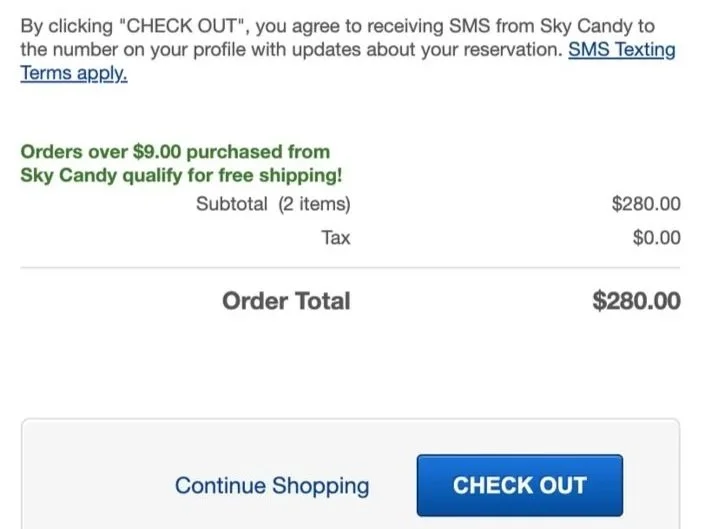

Enter your payment info in the Order Summary section. If you have a gift card or account credit, you can apply it here.
Confirm that your email address is correct.
Click Place Order.

The next page will give you an option to Book This Service. That page will take you to the Series page.
From there, find your series class and click Sign Up Now!

Confirm you're signing up for the right class and select Enroll.

You did it! You have successfully signed up for your series class with payment plan!
Our team is happy to help out if you run into any issues in the process. Reach out to us at frontdesk@skycandyaustin.com.